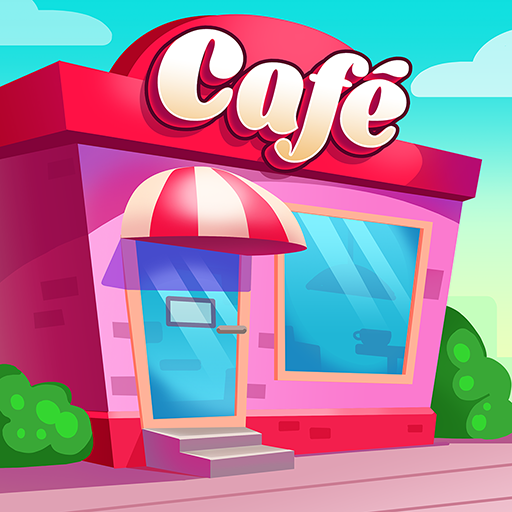
You know that satisfying moment when you finally unlock a new upgrade in a mobile game without spending a dime? That’s the kind of dopamine hit My Coffee Shop – Idle Tycoon is built around. It’s not just another idle game—you’re running your own café empire, managing staff, upgrading machines, and watching the cash roll in while you’re doing laundry or standing in line somewhere.
Now, let’s talk codes. Because honestly? They’re not just bonuses—they’re part of the strategy. You punch in a few letters and numbers, and suddenly you’ve got more coins, energy boosts, maybe even rare décor that would’ve taken you days to grind for. In my two decades messing around with systems (some legit, some… well, not exactly), one thing’s always been true: those who know where to look get ahead faster.
What Is My Coffee Shop – Idle Tycoon?
I’ve been around long enough to see mobile games come and go—some flash-in-the-pan junk, others weirdly addictive despite their simplicity. My Coffee Shop – Idle Tycoon lands somewhere in the sweet spot. It’s a mobile business simulator dressed up as a cozy café builder, and yeah, it’s got all the hallmarks of a classic idle game—but with enough charm and strategy to keep it from feeling stale.
You start with a tiny virtual café and a basic brew station. Pretty barebones. But as the coins start rolling in, you’ll find yourself upgrading machines, hiring staff, speeding up customer flow, and chasing that next tier of earnings. Now, the loop? Dead simple: brew, serve, earn, upgrade, repeat. But there’s something oddly satisfying about watching those numbers tick up, especially once you get a few passive bonuses rolling. (You know the type—boosters that keep working while you’re asleep. Or, say, dealing with… other business.)
What I’ve noticed is that the game really leans into pacing. It doesn’t shove ads down your throat every five seconds, and you’re not constantly hitting paywalls. That alone earns some respect. And from a strategic angle, figuring out the best upgrade route—balancing faster brewing with shorter customer wait times—scratches that same itch as optimizing margins in a real-world hustle.
It’s not groundbreaking, but it doesn’t have to be. My Coffee Shop – Idle Tycoon knows exactly what kind of game it is: a smooth, satisfying idle café sim that lets you play at your own pace. You want something light, but still smart enough to make you think between taps? This one’s worth keeping on your home screen.
Active Codes (Updated September 2025)
I’ve been watching games drop codes since before most mobile devs even knew what weekly rewards were, and let me tell you—My Coffee Shop – Idle Tycoon is one of those games where grabbing the right code at the right time makes a noticeable difference. Not in some overblown “break the game” kind of way, but more like skipping the boring grind and jumping straight into the good stuff.
Below’s what’s working right now, as of September 2025. I’ve punched these in myself—none of that secondhand copy-paste nonsense.
| Code | Reward | Personal Note |
|---|---|---|
| GRINDBREW25 | +15% Speed Boost (1hr) | Best used during high-customer waves. Don’t let it sit idle. |
| CASHNOW2025 | 10,000 Instant Cash | Good for starting out. Won’t move mountains, but it helps. |
| PREMIUMBEANS | 100 Premium Beans | These are gold. Save them—don’t blow ’em on cosmetics. |
| STARTFRESH | 5,000 Coins + 5 Min Boost | Basic stuff. Nice for quick buys, nothing fancy. |
| SEPTGEMS | 75 Gems | Solid drop—gem codes are rarer, so don’t sleep on it. |
How to Redeem Codes in My Coffee Shop – Idle Tycoon
Now, this part always feels trickier than it should. You’d think redeeming a code would be front and center, but nah—it’s tucked away like a dirty secret. After poking around more menus than I care to admit (and wasting a perfectly good promo code once), here’s how I actually got it to work—step by step, no fluff.
- Launch the game and let it load completely.
I know, sounds like filler, but trust me—jumping in too fast means half the UI elements don’t show up right. Learned that the hard way. - Tap the gear icon in the top-right corner.
That’s your main Settings menu. Don’t go hunting in the shop or anywhere flashy—this part’s buried, almost like they don’t want you to find it. - Scroll until you see something like “Redeem Code.”
It’s not always labeled cleanly. Sometimes it’s hiding near the FAQ section or tagged under “Support.” That’s on purpose. Just dig around until it pops. - Enter your code in the box that shows up.
Don’t overthink it. Just paste it in, clean—no extra spaces, no weird formatting. I’ve seen people type it in manually, but honestly? I just copy-paste it straight from wherever I got it. - Tap Confirm and wait for the reward drop.
You’ll either get a success message (with coins or some random in-game perk), or you’ll get that dreaded “code expired” line. That one stings.
How to Find New Codes
You want the codes? Gotta know where to dig. They’re not just handed out on a silver platter—at least not most of the time. I’ve spent years chasing these little digital bonuses across more games than I care to admit, and what I’ve learned is this: the players who get the codes first aren’t just lucky—they’re connected.
Here’s what actually works (I’ve been burned by dead links and fake code scams before, so this is the real deal):
- Developer’s Twitter/X account – Sometimes they drop codes casually in a post, other times it’s hidden in a giveaway thread. You miss it, it’s gone. I scroll through with my morning coffee—old habit.
- Discord server – This one’s gold. Every legit game has a Discord, and the #announcements or pinned messages usually carry the newest codes. Some even sneak in “community drops” during random chats. It’s easy to miss if you’re not lurking there now and then.
- Reddit or unofficial forums – Not always pretty, but damn useful. Players post codes fast, usually with screenshots or usage notes. I’ve picked up a bunch that never even hit the official channels.
- In-game update logs – Here’s the thing nobody tells you: sometimes the devs hide codes in the patch notes. Just a little “thanks for playing” at the bottom. Most people don’t read those. I always do.
Keep a habit of checking a couple times a week. Doesn’t need to be complicated. I’ve built my little routine: check Discord, scan Twitter, run a Reddit search. Takes five minutes, pays off more often than not. That’s the game behind the game.

Hello, my name is Mike Nikko and I am the Admin of Deliventura. Gaming has been a part of my life for more than 15 years, and during that time I have turned my passion into a place where I can share stories, reviews, and experiences with fellow players. See more about Mike Nikko