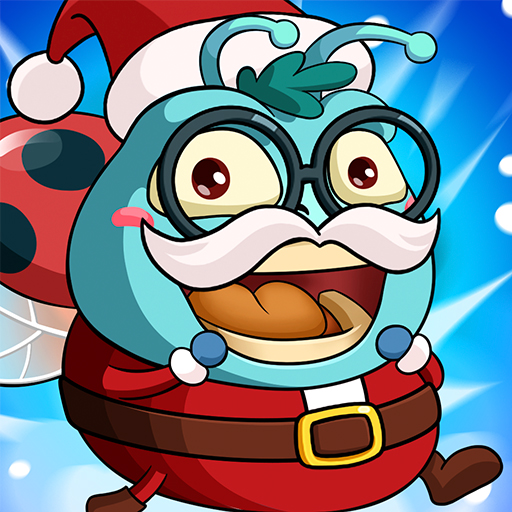
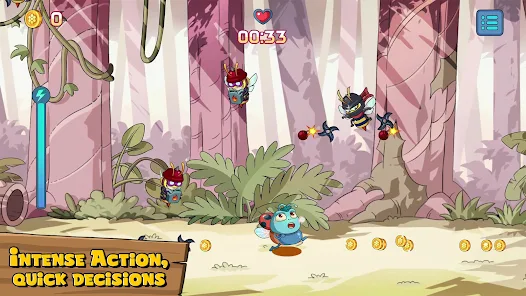
You ever download a mobile game just to kill time, and then suddenly you’re staying up ‘til 2AM trying to out-blast some stranger from Ohio? Yeah—Bomber Wasp does that to you. It’s fast, scrappy, and way more competitive than it looks on the surface. And if you’re playing on Android or iOS here in the U.S., you’ve probably seen those little code boxes tucked away in the menu… but what do they actually do?
Well, here’s the thing: Bomber Wasp codes—especially the working ones in 2026—can unlock free skins, game currency, power-ups, and those sweet, limited-time rewards you’ll miss if you blink. Think of it like a backdoor into the upgrade system. No grind. No wallet.
This guide breaks it all down—what codes are live, how to redeem them, where they hide after each update patch, and which ones are just clickbait. Let’s get into it.
All Active Bomber Wasp Codes (Updated January 2026)
You know that moment when you’re one round away from unlocking a rare drone skin… but you’re 400 coins short? Yeah, we’ve all been there. That’s where these codes come in. I’ve been digging through patch notes, developer tweets, and those weird Discord leaks (you know the ones) to pull together only the working Bomber Wasp promo codes for 2026—tested, verified, and still redeemable as of this morning.
Here’s a quick side-by-side of what each one unlocks. Some are time-sensitive, and one’s a U.S.-only drop from a dev livestream—I nearly missed that one myself.
| Code | Reward | Expires | Notes |
|---|---|---|---|
| STING2026 | 1,000 Coins + Bonus Round | Feb 1, 2026 | Works on both Android & iOS |
| WASPGEAR | Epic Drone Skin (Venom Black) | Jan 25, 2026 | Limited-time—U.S. region only |
| PATCHDROP18 | 5x Power-Up Crates | Jan 20, 2026 | Tied to 1.8 update patch |
| BUZZBOOST | 750 Coins + 2 Boosters | Jan 31, 2026 | Usually gets reused monthly |
| SECRETNEST | Random Unlockable Gear | Unknown (TBD) | Hidden in dev Q&A, still works now |
How to Redeem Bomber Wasp Codes on Android and iOS
Now, redeeming Bomber Wasp codes isn’t exactly rocket science—but I’ve still seen people tap around the wrong menus for five minutes and then give up thinking the code’s broken (been there). The process is nearly identical across Android and iOS, but there are a couple weird UI hiccups I’ll mention along the way.
Here’s what’s worked consistently for me:
- Open the game and stay on the main lobby screen. Don’t jump into a match or it’ll block the redeem window (yep, it’s that picky).
- Tap the gear icon in the top-right corner. That takes you to the Settings menu.
- Scroll down—look for the “Redeem Code” button. On some Android builds it’s shoved below the language options, which is dumb, but whatever.
- Tap the “Redeem Code” button, then copy-paste or carefully type your code into the input box. Caps don’t usually matter, but I still copy-paste just to be safe.
- Hit Confirm. You’ll see a small confirmation screen pop up if it works. If it doesn’t, you’ll either get an error message (“Invalid” or “Expired”) or… nothing at all, which is even worse.
Where to Find New Bomber Wasp Codes First
You ever find out about a new Bomber Wasp code after it’s already expired? Yeah—same. The first time that happened, it was a July 4th drop tied to a streamer collab, and I only saw it two days later in a Reddit thread buried under bug complaints. Never again.
Now, here’s where I actually catch codes before they vanish:
- Official Discord Server – Honestly, this is where 90% of the early code drops show up. Usually pinned by a mod or dropped mid-convo during an event. You’ve gotta dig a little, but it’s gold.
- Twitter/X (@PlayBomberWasp) – They’ll post social announcements here, but it’s usually vague like “New code live now!” and you’ve still gotta find it yourself. Still, worth a follow.
- Twitch Drops & YouTube Collabs – If you see a creator with “sponsored by Bomber Wasp” in the title, there’s probably a code tucked somewhere in their stream description. I’ve had the best luck with U.S. streamers during seasonal events—especially Halloween and Black Friday.
- In-Game News Section – Occasionally useful. What I’ve found is they do announce limited-time events here, but they rarely put codes directly in the update notes (why? no clue).
- Community Wikis or Fan Pages – These are hit-or-miss. I only check them if I missed a live drop and I’m trying to catch the tail end of a promo code before it expires.

Hello, my name is Mike Nikko and I am the Admin of Deliventura. Gaming has been a part of my life for more than 15 years, and during that time I have turned my passion into a place where I can share stories, reviews, and experiences with fellow players. See more about Mike Nikko