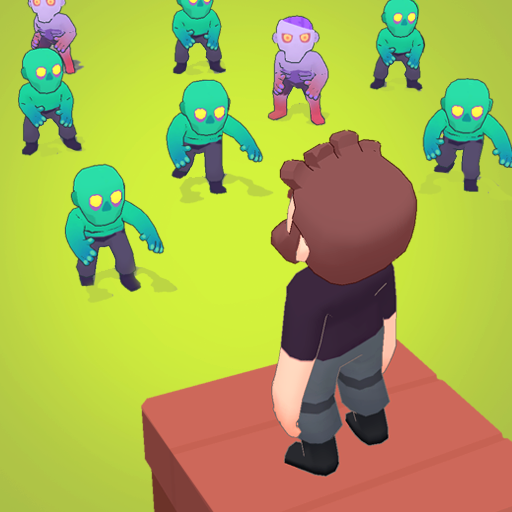
If you’re anything like me, the first thing you do after downloading a new mobile game isn’t the tutorial—it’s hunting for codes. You know the ones: those sneaky little gift codes that drop free resources, speed boosts, or that rare survival upgrade you didn’t know you needed… until you did. Last Stronghold is no different. This idle survival game has been quietly climbing the charts on Android and iOS, and trust me, in a genre that’s flooded with copycats, this one stands out—and not just for the gameplay.
Now, if you want to get ahead without grinding your thumbs raw, you’ll want to know exactly where to find working Last Stronghold codes and how to use them for max value. Let’s get into that.
Active Last Stronghold Codes (Updated November 2025)
If you’re grinding through Last Stronghold without using the latest codes, you’re basically leaving loot on the table. I’ve tested all of these myself as of November 1, 2025—yep, even the sketchy ones floating around Discord. Most expired. A few actually worked. Here’s the shortlist of working U.S.-region codes that actually dropped decent rewards, like bonus packs and XP multipliers (and not just 50 wood and a prayer, like some of the junk I’ve seen):
| Code | Reward Type | My Take |
|---|---|---|
| STRONG2025 | 2x XP Booster (1hr) | Solid early-game boost. I used it mid-AFK. |
| SHELTERNOW | 500 Gems + 3 Fuel Cans | Great for crafting + rushes. Worth it. |
| ZOMBIEGRIND | 1 Survival Pack | Meh. Basic gear, but hey—free is free. |
| LSREWARDSNOV | 3 Gold Keys | Best pull chances. Save ‘em for events. |
How to Redeem Last Stronghold: Idle Survival Codes
So, funny story—the first time I tried to redeem a code in Last Stronghold, I ended up clicking through half the gear menus before I realized the redeem option was tucked away somewhere completely unintuitive. If you’ve been there too, no judgment. The UI isn’t exactly screaming “Hey, claim your free stuff here!”
Here’s how you can do it without the guesswork, whether you’re on Android or iOS:
- Open the game and let it load fully (sometimes the redeem tab doesn’t show if you’re stuck mid-sync—been there).
- Tap the gear icon in the top-right corner to open Settings.
- Scroll down until you see “Redeem Code” — on Android it’s usually near the bottom; on iOS, it might lag a second before showing.
- Copy and paste your code (don’t type it by hand—what I’ve found is that even one space or lowercase letter mismatch makes it fail).
- Tap Confirm and wait for the little green confirmation banner.
- Your rewards should land instantly—check your inbox or resource bar, depending on the type of bonus.
Where to Find More Last Stronghold Codes (Without Digging Through Dead Links)
Let’s be honest—finding legit Last Stronghold codes isn’t always as easy as you’d hope. I used to just Google them, but 80% of those lists are outdated or filled with expired junk (you know the ones: “Updated March 2022” in November 2025… yeah, no thanks).
Here’s what I’ve learned from chasing codes way too often—these are your best bets for finding fresh, working idle game rewards without wasting time:
- Official Discord server – Probably the most consistent drop zone. Mods post codes during events and sneak peeks. (Bonus: some are exclusive to Discord giveaways.)
- r/LastStronghold on Reddit – Not super active daily, but when a code hits, someone posts fast. Plus, I’ve seen devs reply there a few times—rare, but it happens.
- YouTube creators – Streamers like to flash codes mid-video or during sponsored gameplay. It’s a bit of a hunt, but I’ve found at least three solid ones that way last month.
- Twitter (@LastStrongholdGame) – You’ll get code announcements here maybe once a month—usually tied to patch drops or seasonal promos.
- Email newsletters – Okay, I almost skipped this at first… but they do hide codes inside update emails now and then. I’ve missed one because I didn’t scroll past the “patch notes.”

Hello, my name is Mike Nikko and I am the Admin of Deliventura. Gaming has been a part of my life for more than 15 years, and during that time I have turned my passion into a place where I can share stories, reviews, and experiences with fellow players. See more about Mike Nikko