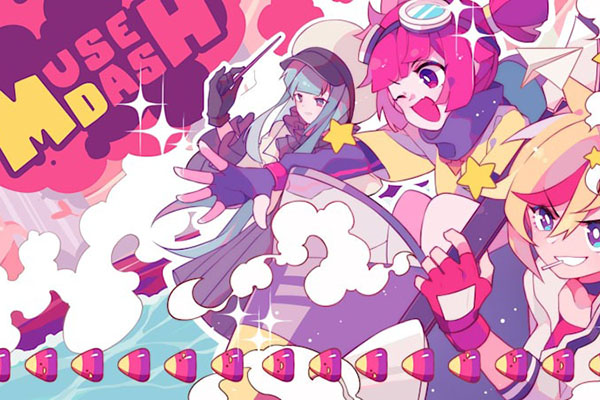
There’s a certain pull to redeem codes — type something in, get something back, no grind required. Muse Dash players feel it too. The difference is that PeroPeroGames doesn’t run a constant drip of promo codes the way gacha titles or Roblox-adjacent games do. Codes show up occasionally, tied to specific events or campaigns, then they’re gone. That gap between expectation and reality is why most “working Muse Dash codes 2026” lists you find are already outdated before you click them.
Muse Dash runs across Steam, Nintendo Switch, iOS, and Android. It gets regular patches, DLC drops, and music library additions — which means players check for codes after announcements, seasonal sales, and whenever a content roundup lands in their feed. The verification problem is real. Speed matters less than source.
Latest Muse Dash Codes — Updated List
No verified public redeem codes are confirmed for Muse Dash in 2026. That’s not a gap in research — it reflects how PeroPeroGames actually distributes codes. They don’t maintain a permanent promo pipeline. Any site listing “dozens of active Muse Dash codes” without linking to an official developer post, platform announcement, or in-game notice is recycling expired or fabricated entries.
| Code | Status | Reward | Expiration | Notes |
|---|---|---|---|---|
| No verified code available | Unconfirmed | None confirmed | Unknown | Most “new Muse Dash codes 2026” lists online recycle fake or expired entries — treat them accordingly. |
| Official event code | Check official channels | Bonus items or promotional rewards | Limited-time | Event codes expire fast. If you see one shared on Discord or Reddit, check it the same day. |
| Platform campaign code | Check Steam, iOS, Android, or Switch notices | DLC packs, discounts, or unlockables | Campaign-based | More likely tied to sales windows than direct in-game drops. |
Skip anything labeled “custom generated” or “unlimited codes.” Real Muse Dash giftcodes come from official announcements, developer posts, or platform promotions. Not generators.
How to Redeem Muse Dash Codes
Code redemption in Muse Dash depends on your platform, whether your account is synced, and whether the current game version has an active redeem button. The UI can shift after patches — so the path you took last time might look a little different now.
Mobile (iOS and Android)
- Open Muse Dash and make sure it’s updated through the App Store or Google Play.
- Go to the settings menu from the main screen.
- Look for a redeem, giftcode, or code input option.
- Enter the code exactly — no extra spaces, exact capitalization.
- Tap confirm and check the reward screen.
- If nothing shows up, restart the app and check again.
PC (Steam)
- Launch Muse Dash through Steam and confirm you’re on the latest version.
- Open the settings or account menu.
- Find the redeem or code input field — it’s not always prominently placed.
- Enter the code and confirm.
- Check your characters, skins, music packs, or DLC section for the reward.
Most failed redemptions come down to three things: the game version is outdated, the code already expired, or the account region doesn’t match the campaign. Worth checking those before assuming the code is fake.
What Rewards Do Muse Dash Codes Give?
When official campaigns do run, codes typically unlock cosmetics, bonus tracks, in-game currency, or event-specific items. The exact reward depends entirely on what the promotion is tied to.
Common reward types include:
- Character skins — cosmetic only, doesn’t touch gameplay
- Bonus tracks added to your music library
- DLC content access or discounts
- Game currency, where the platform supports it
- Exclusive event items tied to specific campaigns
- Premium content from limited partnerships
Skins are fine. Music packs are better — they’re what actually extends how long the game stays interesting, especially for players chasing full combos or grinding harder difficulty tiers. A new track you didn’t have before is more replayable than a visual swap you’ll stop noticing after a week.
Why Muse Dash Codes Expire So Fast
Promotional codes are built around specific moments — a DLC launch, a seasonal event, an anniversary patch. They’re not meant to sit open indefinitely. PeroPeroGames uses them to drive activity during a window, not to maintain a permanent freebie channel.
Halloween, Black Friday, and anniversary updates are common windows for rhythm games to drop codes in the US market. Social campaigns and community milestones can trigger them too. But the window closes fast.
Expired code errors usually trace back to one of these:
- The expiration timer already ran out
- The code was region-locked and doesn’t apply to your account
- You already claimed it on the same account
- The campaign was pulled after a patch
It’s frustrating, but it’s also how the system is designed to work. The reward was meant to promote a specific moment — not stay available forever.
How to Find New Muse Dash Codes Faster
The fastest path to a real code isn’t a code blog. It’s official channels — because that’s where real codes actually originate. Random roundup sites copy from each other, and one recycled fake entry can spread across dozens of pages before anyone notices.
Check these sources first:
- PeroPeroGames official developer posts and social accounts
- Muse Dash announcements on Steam
- Twitter/X updates from the official Muse Dash account
- Discord community alerts — real players share codes fast
- Reddit threads where players confirm they actually claimed a reward
- Patch notes after major updates
- Platform store notices on Switch, iOS, and Android
Community screenshots are worth more than a blog table. If someone on Reddit posts a screenshot of their reward screen after entering a code, that’s confirmation. A list with no source, no date, and no platform context is not.
Common Errors When Redeeming Codes
Most redemption errors aren’t mysterious. They’re usually one of a small set of fixable problems.
| Error | Likely Cause | Fix |
|---|---|---|
| Invalid code | Typo, fake code, or expired entry | Copy the code exactly from the source and verify where it came from. |
| Reward not appearing | Server sync delay | Restart the game and reopen the reward menu. |
| Update required | Outdated app version | Update through Steam, App Store, or Google Play before retrying. |
| Account mismatch | Wrong linked account | Confirm your login and platform account sync before entering the code. |
| Region lock | Campaign limited to one market | Check the promo details — some codes only work in specific regions. |
The unglamorous truth: most codes that fail were either expired, mistyped, or never real to begin with. The fix is boring but it works — verify the source first.
Are Muse Dash Codes Actually Worth It?
When they’re real, yes. A free skin is a nice extra. A bonus track is genuinely useful. A DLC discount can matter more than either of those combined — because the music library is where Muse Dash’s long-term appeal actually lives.
What’s not worth your time: chasing codes through generator sites, clicking through ad-heavy pages promising unlimited unlocks, or spending more energy hunting codes than playing the game. Working codes in 2026 are rare. Treat them as a bonus when they appear, not something to optimize around.
Muse Dash earns its time through rhythm gameplay and music packs. The code, if you find one, is icing. The game was already there.
Final Thoughts
Verified Muse Dash codes are rare — that’s just how PeroPeroGames runs things. When codes do appear, they’re tied to real events, move fast, and expire faster. The playbook is simple: watch official channels, cross-check with community posts, and only enter codes you can actually trace to a source.
Skip the generators. Treat any “latest codes” list carefully unless it shows a date, a platform, and some evidence that players actually claimed something. The redeem system works fine — it’s the code supply that’s the bottleneck.

Hello, my name is Mike Nikko and I am the Admin of Deliventura. Gaming has been a part of my life for more than 15 years, and during that time I have turned my passion into a place where I can share stories, reviews, and experiences with fellow players. See more about Mike Nikko