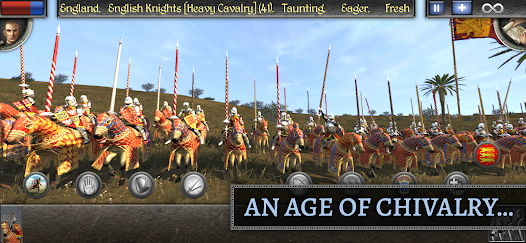
Total War: MEDIEVAL II is a 2006 turn-based/real-time strategy game from Creative Assembly — you manage a medieval empire on the campaign map, then fight battles in real time. It’s old, but it’s held up remarkably well, and with Total War: Medieval III officially announced (and still years away), there’s been a noticeable uptick in people returning to it. Worth noting: this isn’t a live-service game, so there are no expiring promo codes. What it does have is a solid console command system that lets you manipulate just about anything — gold, units, fog of war, traits, construction queues, and more.
Here’s everything you need.
How to Open the Total War: MEDIEVAL II Console
Before any commands will work, you need the console open. On the campaign map, press ~ (tilde). If that doesn’t do anything — common on non-US keyboard layouts — try one of these instead:
`(grave accent)'(apostrophe)ö(on Scandinavian keyboards)
The console only works on the campaign map, not during battles — with one exception covered below. Once it’s open, type your command and hit Enter.
One important heads-up: names are case-sensitive. Settlement names, character names, faction names — capitalize them correctly or the command will silently fail.
Total War: MEDIEVAL II Console Commands
Money & Resources
| Command | What It Does |
|---|---|
add_money [amount] |
Adds the specified amount of gold to your treasury |
add_money [faction], [amount] |
Adds gold to another faction (useful for diplomacy or testing) |
add_money -[amount] |
Removes gold from your treasury |
add_population "[Settlement Name]" [amount] |
Adds population to a city; use a negative number to remove |
bestbuy |
Toggles a 10% unit cost reduction — note it sometimes won’t turn off without restarting the game |
Characters & Traits
| Command | What It Does |
|---|---|
give_trait "[Character Name]" [TraitID] [level] |
Gives a general or agent a specific trait at the specified level (1–5) |
remove_trait "[Character Name]" [TraitID] |
Removes a trait from a character |
give_ancillary "[Character Name]" [AncillaryID] |
Adds a retinue item to a character |
remove_ancillary "[Character Name]" [AncillaryID] |
Removes a retinue item |
character_reset |
Lets a character move again if they’ve been stuck — doesn’t always work |
move_character "[Character Name]" [x] [y] |
Teleports a character to map coordinates (use show_cursorstat to find them) |
Settlements & Construction
| Command | What It Does |
|---|---|
process_cq "[Settlement Name]" |
Instantly completes everything in a city’s building queue |
process_rq "[Settlement Name]" |
Instantly completes everything in a city’s recruitment queue |
Battles & Map
| Command | What It Does |
|---|---|
auto_win attacker |
Auto-resolves the next battle as a win for the attacker — must be entered at the battle scroll before hitting auto-resolve |
auto_win defender |
Same, but for the defender |
toggle_fow |
Reveals the entire map (or re-enables fog of war) |
show_cursorstat |
Shows the coordinates under your cursor — handy with move_character |
Factions & Diplomacy
| Command | What It Does |
|---|---|
control [faction] |
Switches you to playing as another faction; AI takes over your old one |
surrender_regions [faction] |
Hands all that faction’s territory to rebels |
create_unit "[Settlement or Character]" [UnitID] [amount] |
Spawns units at a settlement or with a character |
disable_ai |
Turns off AI processing — useful for testing, not for normal play |
A Few Things Worth Knowing
The auto_win command works differently than the others. It has to be entered while you’re on the battle scroll (the screen before a fight), not on the campaign map. Enter it there, then click auto-resolve.
Trait and ancillary IDs aren’t intuitive. There’s a full list at commands.gg/m2tw/traits and commands.gg/m2tw/ancillaries — worth bookmarking if you’re doing any serious character editing.
bestbuy can get stuck on. If unit prices stay discounted after you toggle it off, just save and restart.
Where to Find More Total War: MEDIEVAL II Resources
The Steam community has put together some genuinely good guides for deeper console usage — search “Medieval 2 cheats” in the Steam Workshop and you’ll find a few well-maintained references. For unit IDs specifically, commands.gg/m2tw/units has a searchable database that’s easier to navigate than digging through game files.
If you’re coming back to Medieval II ahead of Medieval III’s eventual release, it’s also worth browsing the active modding community on the Total War Center forums — there’s still a lot of life in this game.

Hello, my name is Mike Nikko and I am the Admin of Deliventura. Gaming has been a part of my life for more than 15 years, and during that time I have turned my passion into a place where I can share stories, reviews, and experiences with fellow players. See more about Mike Nikko