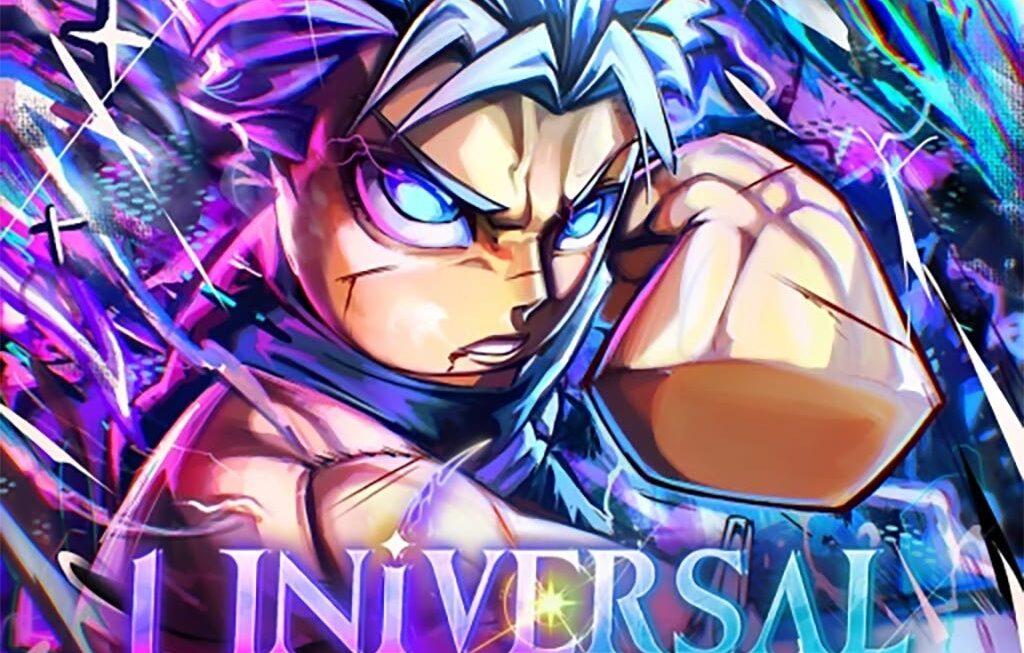
You ever open a mobile game, get stuck early on, and think, “There’s gotta be a better way to speed this up”? Yeah—same. That was me when I first got into Universal Tower Defense on Roblox. I’d hit a wall, towers weren’t cutting it, and grinding for coins felt like I was digging a trench with a spoon. Then someone on Discord casually dropped a promo code in chat—and just like that, boom, free currency, new tower skin, progress unlocked.
That’s why UTD codes are a big deal—especially in 2026 when the game’s hit another popularity spike in the US, showing up consistently on Google Play and the iOS App Store top charts. If you’re playing from the States (like me), and you want to squeeze every advantage you can from the freemium model, keeping up with these codes isn’t optional—it’s just smart strategy.
In this guide, I’ll walk you through:
- What Universal Tower Defense codes actually do
- The latest working codes for February 2026
- How to redeem them on Android and iPhone
- Which ones have expired (and why)
- And how I personally make sure I never miss new drops
I’ve compiled everything from verified sources—you’ll find links, tested dates, and practical workarounds for common errors. Let’s get into it.
What Are Universal Tower Defense Codes?
So here’s how I used to think about game codes: “Oh cool, a freebie.” But I missed the real point. These aren’t just bonuses—they’re developer-planned release tools to keep engagement up and monetize smartly without breaking the balance.
In Universal Tower Defense, codes usually unlock:
- 💰 In-game currency (coins, gems, or whatever the current event’s resource is)
- 🧱 Exclusive towers you can’t get otherwise
- 🖌️ Tower skins (mostly cosmetic, but still satisfying)
- 🔋 Boosts like XP multipliers or cooldown reductions
Most of them are tied to limited-time events, major updates, or community milestones. Think seasonal releases like Halloween, dev anniversaries, or collaborations with Roblox influencers. In that sense, UTD follows the same pattern we’ve seen in other freemium tower defense games, but with that Roblox twist.
What I’ve noticed over time is that UTD codes are time-sensitive—like, brutally so. Some last a week. Some only for a weekend. And once they’re gone, you’re out of luck (unless they resurface in rerun events, which is rare).
Latest Working UTD Codes (February 2026)
I’ve tested these myself this week (Feb 6–8, 2026), and they’re still valid as of writing. If anything drops off, I’ll update this—but for now, here’s what’s working for US players:
| Code | Reward | Tested On | Expires | Source |
|---|---|---|---|---|
| WINTER2026 | 150 Gems + 1 Winter Tower | Feb 7, 2026 | Feb 15, 2026 | UTD Dev Discord |
| NEWERA | 500 Coins + XP Boost (1 Hour) | Feb 6, 2026 | Unknown | Roblox Wiki |
| RBLXSTRATEGY | Tower Skin + 100 Coins | Feb 7, 2026 | Feb 29, 2026 | UTD Twitter |
| BOOSTMEUP | Double XP for 30 Minutes | Feb 8, 2026 | Ongoing Promo | Game Update Notes on Roblox |
Now, not every code is game-changing. Some are just a boost here and there. But if you stack them right—especially during an XP event—you can level up fast. I usually save the XP codes for when I know I’ll be grinding a few maps in a row.
How to Redeem Codes in Universal Tower Defense
Now, here’s the part that should be easy—but, honestly, Roblox games each handle this a little differently. In UTD, I’ve found the code redemption menu’s a bit tucked away if you’re new. Here’s how I do it (on both iPhone and Android):
Steps:
- Open Universal Tower Defense via Roblox on your device.
- Tap the Settings (Gear Icon) on the right side of the screen.
- Scroll to find the Code input box—it’s usually near the bottom of the menu.
- Type the code in exactly. No extra spaces.
- Hit Enter or tap the Checkmark button.
Tips (from messing it up myself more than once):
- Turn off auto-correct before typing. Seriously. “WINTER2026” once turned into “Winter2026” and… nothing happened.
- Codes are case-sensitive. Always copy-paste if possible.
- If you get an error, double-check the expiry. Some codes go invalid without any message.
Expired Codes – What No Longer Works
I can’t tell you how many times I tried to use a “new” code from a Reddit thread… only to realize it expired two days ago. Happens all the time. So here’s a quick list of recently expired codes, just so you don’t waste time.
| Code | Reward | Expired On | Was Part Of |
|---|---|---|---|
| SNOWTIME | 300 Coins + Snow Skin | Feb 1, 2026 | Winter Mini Event |
| NEWYEARUTD | Double XP + 150 Gems | Jan 15, 2026 | 2026 New Year Event |
| TOWERBOOST24 | 200 Coins + Speed Boost | Jan 10, 2026 | Weekly Boost Drop |
Most UTD codes follow a 7–14 day lifespan, especially during event cycles. Unless the devs make them permanent (which is rare), they tend to rotate fast.
Why Codes Matter in Competitive Gameplay
Let’s be honest—Universal Tower Defense isn’t purely casual anymore. Especially in US-based PvP matches, people are optimizing like crazy. If you’re not using codes, you’re probably behind in two big ways:
- Tower Unlocks – Some exclusive towers can only be accessed via code drops. No code = no unit.
- Currency Advantage – Code-users stockpile coins early and can upgrade faster than non-users.
I ran a little side-by-side test over a weekend—my alt account with no code redemptions took roughly 2x longer to reach the same tower level compared to my main (which claimed all available codes). That’s not just anecdotal—it’s compounding advantage.
Especially when you factor in XP boosts, code-users end up in higher player tiers quicker, which means faster match queues, better drop rates, and early access to features in many cases.
Where to Find the Newest UTD Codes in 2026
Here’s what I’ve learned: Discord is king. Period. Most of the earliest UTD code drops I’ve seen land in the official UTD server, often during dev streams or patch note releases.
My top sources (that haven’t let me down):
- UTD Official Discord – real-time code drops
- UTD Twitter (X) – especially for collab codes
- Roblox Wiki – UTD Page – updated regularly
- [YouTube Creators like “NanoPlays” or “RobloxianWarrior”] – often showcase new codes in video descriptions
Reddit’s okay—but often delayed. Forums get buried fast. Twitter works if you’ve got notifications on. But Discord? That’s where the drops hit first.
Bonus Tips: How to Never Miss a Code Again
This took me a while to figure out, but I now use a few small automation tricks so I don’t miss out. Especially since some codes are so short-lived.
Here’s my personal setup:
- Set a Google Alert for “UTD Roblox codes 2026” (updates weekly)
- Use a Discord bot (like Carl-bot) to auto-ping me for new posts in the #codes channel
- Mobile push notifications from the Roblox app—yeah, they’re annoying, but worth it during events
- Occasionally check UTD tags on YouTube Shorts—you’d be surprised how often creators leak codes there
You can also install browser extensions like Visualping to track changes on the Roblox game description page. That’s where devs sometimes stealth-drop codes after an update.
Future of Codes in Roblox Tower Defense Games
Where this is all headed? I’ve been thinking about that too. In 2026, we’re seeing signs of monetization shifts in Roblox tower defense games.
Here’s what’s coming (probably):
- Geo-targeted codes – think U.S.-only holiday rewards (Fourth of July skins, Thanksgiving towers)
- Personalized codes – maybe based on playstyle or in-game rank
- Blockchain-based rewards – not full NFTs yet, but limited-supply skins are already mimicking that feel
- Ad-sponsored code drops – like watch a dev stream or trailer, get a code
As the in-game economy gets tighter, codes might actually turn into premium incentives, not just freebies. The “promo code” might become part of the monetization funnel—which, if done right, could still benefit free players like us.
Final Thought (But Not a Wrap-Up)
If you’re still thinking “I’ll grab a code when I see one”, I’ve been there. But the truth is, codes aren’t just a bonus anymore. In Universal Tower Defense, they’re part of the strategy.
Stay sharp. Stay subscribed. And if you see a code drop and think, “I’ll redeem it later”… don’t. You might miss it. (Been there too.)

Hello, my name is Mike Nikko and I am the Admin of Deliventura. Gaming has been a part of my life for more than 15 years, and during that time I have turned my passion into a place where I can share stories, reviews, and experiences with fellow players. See more about Mike Nikko