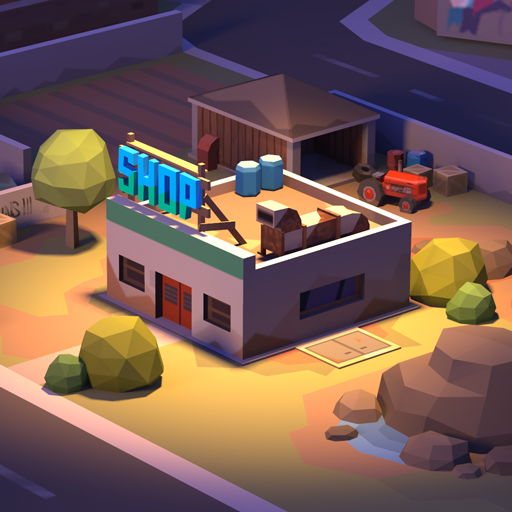
There’s this odd satisfaction in watching a zombie’s head explode after a perfectly timed turret upgrade — you know exactly what I mean if you’ve been playing Zombie Shop lately. For those who haven’t been pulled into the chaos yet: Zombie Shop is a mobile strategy-survival builder where you craft weapons, manage resources, and fend off the undead hoards while running your very own scavenger’s storefront. And let me tell you, the game has quietly grown into one of those sleeper hits — especially in the US mobile gaming scene this year.
But here’s where things get real — promo codes.
If you’ve played even a week without redeeming a code, you’re leaving free stuff on the table: in-game currency, speed boosts, upgrade materials, and gear that can save you literal hours of grind. In 2026, when US players are hitting daily check-ins like morning coffee, these reward codes aren’t just bonuses — they’re meta-strategy.
Key Takeaways (You’ll Want to Bookmark This)
- All active and verified Zombie Shop codes for January 2026 are listed below
- Step-by-step redemption guide for Android and iOS included
- Real talk on how to spot new codes fast (before they’re gone)
- Weekly updates to keep the list fresh
- Clear list of expired or fake codes to save you time
Latest Working Zombie Shop Codes (Updated January 2026)
Last Verified: January 20, 2026 – 9:00 AM EST
I check this list personally every week (usually Monday mornings with a coffee in hand). If it’s not working, I’ll mark it.
| Code | Reward | Status | Expires |
|---|---|---|---|
| ZSNEWYEAR26 | 300 Gold + 2 Craft Boxes | ✅ Active | Jan 31, 2026 |
| WINTERFIRE2026 | Speed Boost x2 + 500 Coins | ✅ Active | Feb 5, 2026 |
| SHOPSURVIVE | 5 Upgrade Materials + 1 Epic Gun Part | ✅ Active | Jan 25, 2026 |
| LOOTHUNTER | 100 Energy + 1 Random Blueprint | ✅ Active | Feb 2, 2026 |
What I’ve noticed is that most of these codes only last 2–3 weeks, tops. So if you’re reading this late in the month, double-check the expiration date.
Also — a quick heads-up — sometimes you’ll enter a code and it “works” but you don’t see rewards. That usually means you’ve already claimed it on that account.
How to Redeem Codes in Zombie Shop (iOS & Android)
Okay, this part trips people up more often than it should. The UI’s not awful, but if you’re switching between devices (I play on both my iPhone and an old Samsung Tab), the menus feel… inconsistent. So here’s what works in practice:
For Android Users:
- Launch the game and let it load into your main base.
- Tap the Settings icon (gear in the top-right).
- Scroll down until you see “Promo Code” — it’s near the support button.
- Tap it, enter the code, and hit confirm.
- Check your mailbox or inventory — rewards show up there 99% of the time.
If the field is missing, you might be on an outdated APK or sideloaded version. I had this issue on my backup phone — updating via Google Play fixed it.
For iOS Players:
- Boot up the app (usually faster on iOS).
- Tap the Settings gear in the top corner.
- Scroll to find “Redeem Code” — on iOS it’s often further down.
- Enter the code carefully (no extra spaces).
- You should see a pop-up confirmation.
iOS tends to bug out less — but I’ve had codes not appear until I restarted the app. Try that if the rewards don’t show right away.
Expired Zombie Shop Codes (Do Not Use These)
Here’s the list of codes that used to work but are now dead. If you see them floating around on Reddit or some random promo site, don’t waste your time.
| Code | Last Seen Active | Status |
|---|---|---|
| XMASZOMBIE25 | Jan 10, 2026 | ❌ Expired |
| BLKFRIDAY2025 | Dec 1, 2025 | ❌ Expired |
| GEARUPNOV | Nov 30, 2025 | ❌ Expired |
| WELCOMELOOT | Oct 5, 2025 | ❌ Expired |
I’ve fallen for this before — thought I found a “new” code on YouTube, only to realize it was 3 months out of date. Now I check everything twice.
Where to Find New Zombie Shop Codes First
If you’re like me and want the codes before everyone else, you’ll need to go beyond just Google. The devs (Crazy Panda) aren’t great about pushing notifications, but they drop sneak codes in a few spots:
Here’s where I usually catch them first:
- Official Discord Server – Look in the #announcements or #events tab. Mods often pin codes there for 24–48 hours.
- Zombie Shop Twitter/X Account – They sometimes post during holidays or events, but blink and you’ll miss it.
- Email Newsletters – I ignore most game emails, but these? I open every time. They’ve included exclusive codes at least 3 times in the past 6 months.
- US-based YouTubers & Streamers – Especially folks with early access or affiliate ties. I got the December loot code from a guy who streams mobile grind RPGs — totally unexpected.
Pro Tip: Don’t rely on the App Store/Google Play listing — it’s rarely updated with code info. You’re better off in the community channels.
Tips to Maximize Zombie Shop Code Rewards
Okay, let’s say you’ve got a few codes to use. Should you redeem them all at once? Well… it depends.
What I’ve learned (after wasting materials on early-game gear I never touched again) is that timing matters.
Here’s how to stretch those rewards:
- Wait until your inventory is almost full. Why? Some code rewards stack above your normal cap, letting you sneak in extras.
- Redeem just before a long play session. That way, any energy or boost you get doesn’t go to waste.
- Don’t use crafting materials right away. I burned 5 epics before I realized I needed them for a Tier III bench. Rookie mistake.
- Stack daily login bonuses with code redemptions. You can double up and push progress faster if you redeem during special events.
- Check the code’s item type. If it’s a gear part, make sure it aligns with your build path. No point in claiming sniper parts if you’re going melee-heavy.
I’ve also noticed that US players tend to log in morning and evening, so timing your redemptions around server resets or community events can give you a slight edge.
Final Thoughts
If you’re still grinding out materials manually while ignoring the promo codes, you’re just making things harder for yourself — and for what? Pride? Trust me, Zombie Shop is built around reward systems. If the devs are giving out freebies, you might as well take them.
I’ll be updating this guide every week or so — usually Monday mornings. You can keep checking back or just join the Discord (that’s honestly what I’d recommend if you don’t want to miss stuff).
In the meantime, go redeem those codes — and maybe don’t waste your next epic part on a shotgun you’ll ditch in two levels. (Been there.)

Hello, my name is Mike Nikko and I am the Admin of Deliventura. Gaming has been a part of my life for more than 15 years, and during that time I have turned my passion into a place where I can share stories, reviews, and experiences with fellow players. See more about Mike Nikko